
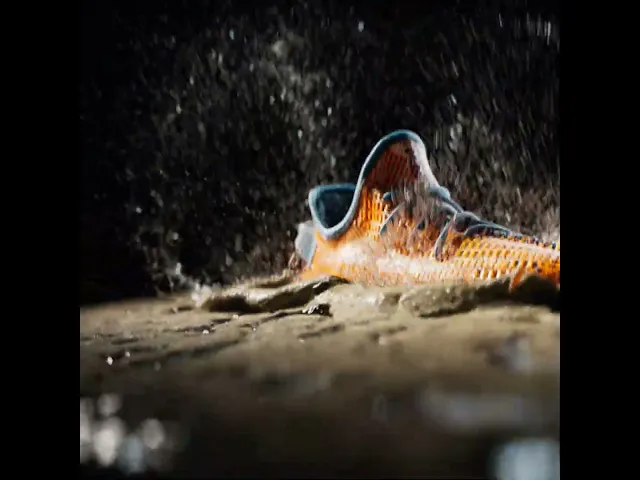
Particles and Procedural Effects Project
Over a three-week exploration of the MPM (Material Point Method) solver in Houdini, I investigated approaches for simulating physically accurate mud. While the solver offered promising material behaviors, replicating realistic mud proved more complex than expected. One of the main challenges stemmed from inaccurate scaling and fluidity, the mud appeared too liquid-like due to insufficient material resistance and improper tuning of solver parameters.
A key learning was the importance of particle resolution in defining the material’s density and surface behavior. My initial resolution of 0.007 failed to capture essential viscous details. Lowering it to 0.003 yielded better definition but substantially increased computation times.
Additionally, I found that scene scale must reflect real-world proportions for simulations to behave correctly. Deviations led to unnatural motion, especially in splash and settling behaviors. Fine-tuning parameters such as friction, yield stress, and cohesion were crucial in guiding the simulation toward a more believable result.
This experiment deepened my understanding of Houdini’s physics-based solvers and highlighted the balance between physical accuracy and computational efficiency, a critical takeaway for building grounded, high-fidelity VFX simulations.


In order to get round water particles, I used the particle fluid surface node and deleted extra bottom particles
to speed up the simulation.


Dividing the simulation into two halves gave
it a seam that is not exactly real but gives the illusion.
For the slow motion, I rendered in 120 fps and slowed it down to 30 fps in post. I tried putting the UV texture node
for the material and assigned them respective materials but they are not showing up in Solaris.
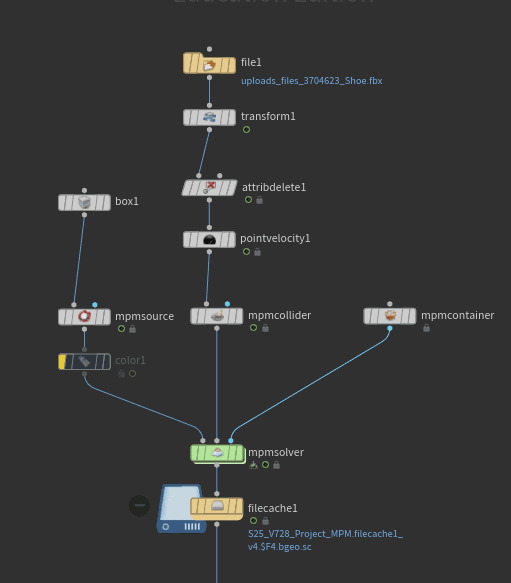
I wanted the mud to stay as it is and wanted water particles to fly upwards. I applied a point velocity node to the shoe,
before mpm collider node and gave it a curl noise so that it shoots water particles in an upward swirl.


After a lot of RnD, the mud splash was still not accurate and were very thick. So I decided to use the MPM configure
spinning tire preset node setup and try to manipulate it. The preset was using a volume noise to separate mud and water. It was
also using two MPM source nodes. One with Mud and chunky preset and another with default water preset and it seemed to
work pretty well. I tried it but the water and sand being mixed up were not giving the result that I wanted.
Meshing:


Notes:
Viscosity: 0 to 1
0 being water and 1 being solid.
Plasticity: 0 to 1
0 being water and 1 being solid.

What worked here is setting plasticity to 0.005
and increasing volume preservation to 0.2. Increasing
plasticity makes the particles maintain their shape,
causing the affected particles to fly upwards.
Volume preservation helped make chunks of mud.


Adding a closed box to the MPM Collider node helped with low cache times.
Now the challenge is to adjust the parameters so that the particles form a crest like structure.
Currently its very fluid.

This is how I manipulated the node setup.
Added a shoe mesh from CGTrader and
adjusted the collider to a closed box.
On the left, the property is set to Mud and Soil while on the right its set to Mud and Water.
Both of them give out a very different effect.

Getting Started with MPM
This is the default MPM configure node setup.
Reference